APSL SOLUTIONS LLP

Delhi, India gst GST No.07ABZFA3461F1Z6

  • AutoPlotter CanSE Software
  • product
  • product

AutoPlotter CanSE Software

Minimum Order Quantity : 1 Units

Delivery Time : 7 Days

AutoPlotter CanSE Software Price & Specifications

Usage Survey Data Processing

Type Software

Support System Windows OS

Security Features License Protection

Language Support English

Interface Type USB Dongle

Compatible System Windows 7, Windows 8, Windows 10

Capacity (Person) Single User

Application Cadastral Survey Engineering

Supply Ability 100 Per Month

Payment Terms Cash in Advance (CID)

Main Domestic Market All India

Delivery Time 7 Days
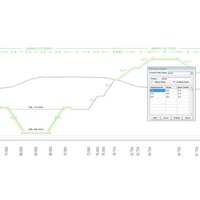
About AutoPlotter CanSE Software Detail

Specification

Deployment

Offline

Device Compatibility

Desktop Only

Operating System

For Windows

Download Option

Free trial & download available

Brand

Infycons

Key Features

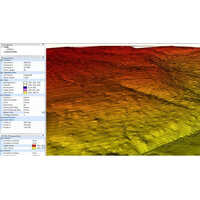
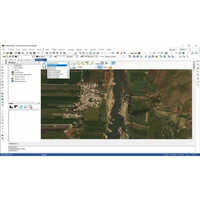
Image Processing, Digital Surface & 3D Models, 3rd Party Integration, Visualization & GPS Support

Training Support

Online Training

Edition

Single User

Supported Platforms

Windows

Languages Supported

English

Min System Requirements

8 GB RAM

Software Name

AutoPlotter CanSE


Efficient Survey Data Processing

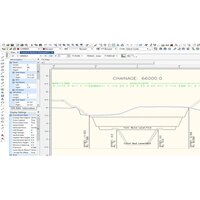
AutoPlotter CanSE streamlines cadastral survey workflows with comprehensive data import/export capabilities and graphical visualization in both 2D and 3D. With user-friendly tools, professionals can efficiently manage complex survey projects and produce precise graphical outputs.


Robust Security and Licensing

Featuring license protection with USB dongle interface, AutoPlotter CanSE offers both perpetual and annual licenses. Users benefit from secure offline installation while ensuring compliance and organizational data protection.


Flexible Plotting and Computation

Automatic plotting layouts and geodetic computation tools simplify map creation and analysis. The software supports metric and imperial units, offering flexibility for varied project requirements across India.

FAQ's of AutoPlotter CanSE Software:


Q: How do I install AutoPlotter CanSE on my Windows computer?

A: AutoPlotter CanSE is installed offline and is compatible with Windows 7, Windows 8, and Windows 10. The process requires an Intel Core i3 or higher processor, at least 4 GB RAM, and utilizes a USB dongle for license activation. Follow the included user manual for step-by-step guidance.

Q: What file formats and data import/export features are supported by the latest release?

A: The software supports CSV, TXT, and DXF file formats, enabling seamless data import and export. Users can efficiently process and transfer survey data between projects and compatible systems.

Q: When can I access technical support and training for this software?

A: Technical support and training are available upon purchase. You can contact the distributor, supplier, or exporter in India for scheduling training sessions and resolving technical queries at any stage during usage.

Q: Where are the security features implemented within AutoPlotter CanSE?

A: Security is maintained through license protection managed by a USB dongle. This hardware-based approach ensures only authorized users can access the software, adding robust security for sensitive survey data.

Q: What benefits do the automatic plotting layouts provide?

A: Automatic plotting layouts facilitate quick and accurate generation of maps and survey plots. They save time, reduce manual errors, and ensure that outputs are formatted according to professional standards.

Q: How can I export survey reports or maps to PDF format?

A: AutoPlotter CanSE allows users to export graphical and tabular survey data directly to PDF format. This feature ensures easy sharing and archiving of project documents for presentation or official records.

Q: What is the process for updating the software to the latest version?

A: Online updates are available for AutoPlotter CanSE. Simply connect to the internet and follow the update instructions provided in the user manual to keep your software up-to-date with the latest features and improvements.

product
product
product
product
product

More Similar AutoPlotter CanSE Software Products

AutoPlotter with LIS Software

AutoPlotter with LIS Software

Minimum Order Quantity : 1 Units

Delivery Time : 7 Days

Usage : Professional, Commercial, Infrastructure Projects

Type : AutoPlotter with Land Information System (LIS) Software

Support System : Technical Support, Online Helpdesk

Security Features : User Authentication, Data Encryption, Access Control

Language Support : English, Custom Language Packs Available

AutoPlotter Advanced Software

AutoPlotter Advanced Software

Minimum Order Quantity : 1 Units

Delivery Time : 10 Days

Usage : Civil Engineering Design, Survey Data Management, Earthwork Computation

Type : Survey and CAD Software Solution

Support System : Online Remote Assistance, Telephonic Technical Support, Email Support

Security Features : USB Dongle based License Protection, User Authentication, Data Encryption Support

Language Support : English, Custom Language Packs Available

Road Estimator Software

Road Estimator Software

Minimum Order Quantity : 1 Units

Delivery Time : 10 Days

Usage : Civil Engineering, Road Estimation

Type : Estimation Software

Support System : Online and Offline Support

Security Features : Password Protected Access

Language Support : English

AutoPlotter Professional Software

AutoPlotter Professional Software

Minimum Order Quantity : 1 Units

Delivery Time : 7 Days

Usage : Commercial, Professional Engineering Projects

Type : Professional Software

Support System : Online Help, Email Support, User Manuals

Security Features : License Key Protection, User Authentication

Language Support : English