APSL SOLUTIONS LLP

Delhi, India gst GST No.07ABZFA3461F1Z6

Surveying And Mapping Software

(7 products available)
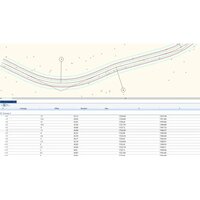
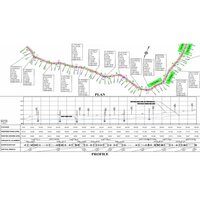
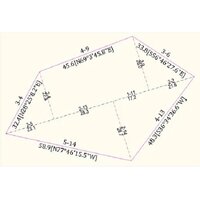
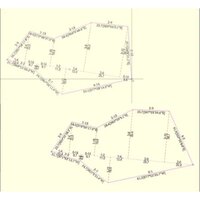
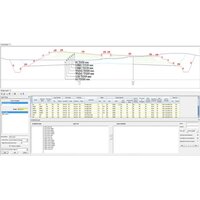
AutoPlotter CanSE Software
  • AutoPlotter CanSE Software
  • AutoPlotter CanSE Software
  • AutoPlotter CanSE Software

AutoPlotter CanSE Software

Minimum Order Quantity : 1 Units

Delivery Time : 7 Days

Usage Survey Data Processing

Type Software

Support System Windows OS

Security Features License Protection

Language Support English

Interface Type USB Dongle

Compatible System Windows 7, Windows 8, Windows 10

Capacity (Person) Single User

Application Cadastral Survey Engineering

Supply Ability 100 Per Month

Payment Terms Cash in Advance (CID)

Main Domestic Market All India

About this product

Specification

Deployment

Offline

Device Compatibility

Desktop Only

Operating System

For Windows

Download Option

Free trial & download available

Brand

Infycons

Key Features

Image Processing, Digital Surface & 3D Models, 3rd Party Integration, Visualization & GPS Support

Training Support

Online Training

Edition

Single User

Supported Platforms

Windows

Languages Supported

English

Min System Requirements

8 GB RAM

Software Name

AutoPlotter CanSE


Efficient Survey Data Processing

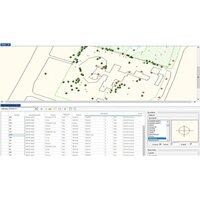
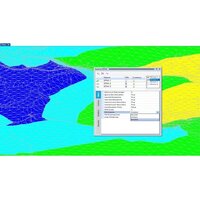
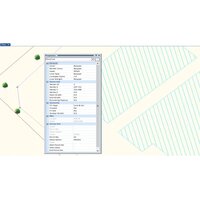
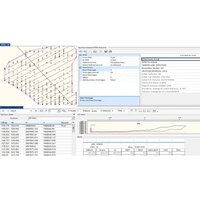
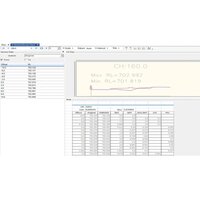
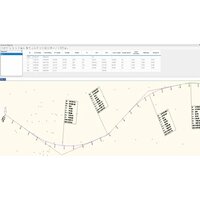
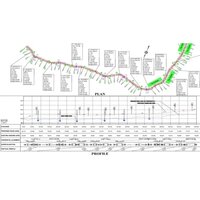
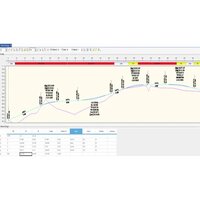
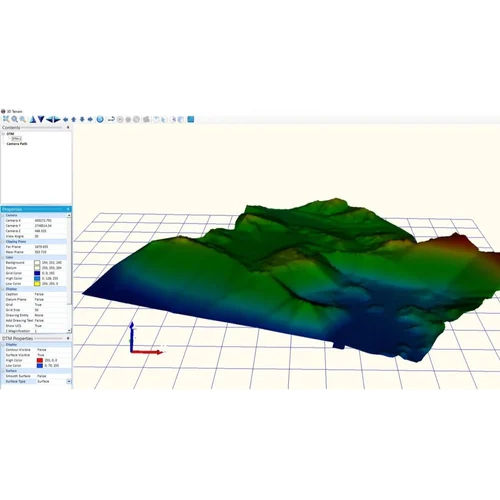
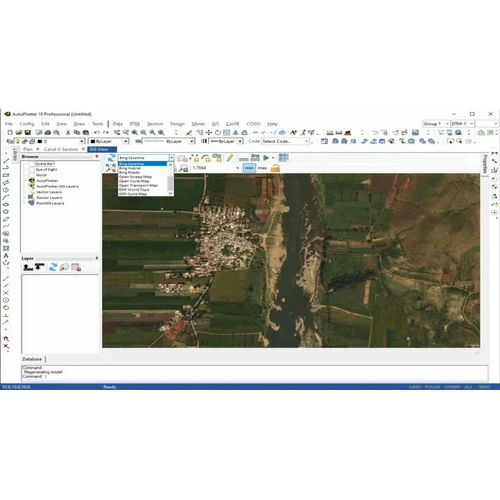
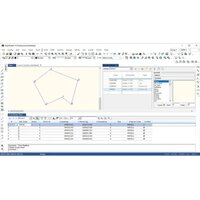
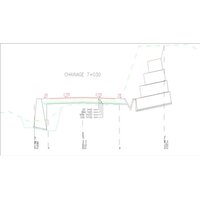
AutoPlotter CanSE streamlines cadastral survey workflows with comprehensive data import/export capabilities and graphical visualization in both 2D and 3D. With user-friendly tools, professionals can efficiently manage complex survey projects and produce precise graphical outputs.

Robust Security and Licensing

Featuring license protection with USB dongle interface, AutoPlotter CanSE offers both perpetual and annual licenses. Users benefit from secure offline installation while ensuring compliance and organizational data protection.

Flexible Plotting and Computation

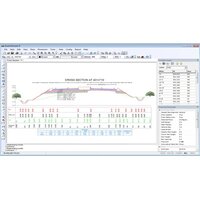
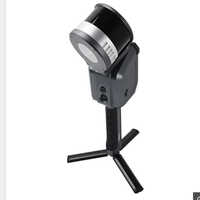
Automatic plotting layouts and geodetic computation tools simplify map creation and analysis. The software supports metric and imperial units, offering flexibility for varied project requirements across India.

FAQ's of AutoPlotter CanSE Software:


Q: How do I install AutoPlotter CanSE on my Windows computer?

A: AutoPlotter CanSE is installed offline and is compatible with Windows 7, Windows 8, and Windows 10. The process requires an Intel Core i3 or higher processor, at least 4 GB RAM, and utilizes a USB dongle for license activation. Follow the included user manual for step-by-step guidance.

Q: What file formats and data import/export features are supported by the latest release?

A: The software supports CSV, TXT, and DXF file formats, enabling seamless data import and export. Users can efficiently process and transfer survey data between projects and compatible systems.

Q: When can I access technical support and training for this software?

A: Technical support and training are available upon purchase. You can contact the distributor, supplier, or exporter in India for scheduling training sessions and resolving technical queries at any stage during usage.

Q: Where are the security features implemented within AutoPlotter CanSE?

A: Security is maintained through license protection managed by a USB dongle. This hardware-based approach ensures only authorized users can access the software, adding robust security for sensitive survey data.

Q: What benefits do the automatic plotting layouts provide?

A: Automatic plotting layouts facilitate quick and accurate generation of maps and survey plots. They save time, reduce manual errors, and ensure that outputs are formatted according to professional standards.

Q: How can I export survey reports or maps to PDF format?

A: AutoPlotter CanSE allows users to export graphical and tabular survey data directly to PDF format. This feature ensures easy sharing and archiving of project documents for presentation or official records.

Q: What is the process for updating the software to the latest version?

A: Online updates are available for AutoPlotter CanSE. Simply connect to the internet and follow the update instructions provided in the user manual to keep your software up-to-date with the latest features and improvements.

Get a Price/QuoteRequest To Call Back
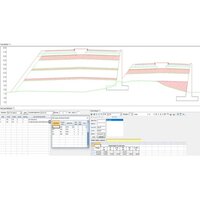
AutoPlotter Professional Software
  • AutoPlotter Professional Software
  • AutoPlotter Professional Software
  • AutoPlotter Professional Software

AutoPlotter Professional Software

Minimum Order Quantity : 1 Units

Delivery Time : 7 Days

Usage Commercial, Professional Engineering Projects

Type Professional Software

Support System Online Help, Email Support, User Manuals

Security Features License Key Protection, User Authentication

Language Support English

Interface Type Graphical User Interface (GUI)

Compatible System Windows 7/8/10/11

Capacity (Person) Multi-user Support

Application Survey Data Processing, Road Design, Land Development, Mapping, Plotting

Supply Ability 100 Per Month

Payment Terms Cash in Advance (CID)

Main Domestic Market All India

About this product

Specification

Deployment

Offline

Device Compatibility

Desktop Only

Operating System

For Windows

Download Option

Free trial & download available

Key Features

Digital Surface & 3D Models, Image Processing, Visualization & GPS Support, 3rd Party Integration

Training Support

Online Training

Edition

Single User

Supported Platforms

Windows

Languages Supported

English


Efficient Data Handling and Processing

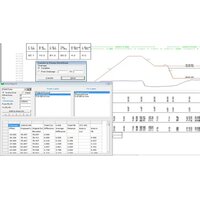
AutoPlotter Professional Software streamlines data management with batch processing and support for CSV, TXT, DAT, and DXF input formats. Users can import vast survey datasets and export results in DWG, DXF, PDF, or XLS formats, enabling smooth workflow integration for road design, land development, and mapping applications. Export features enhance project documentation and collaboration.


Customizable and Scalable Plotting

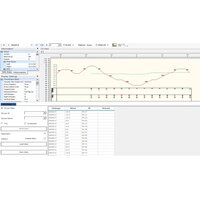
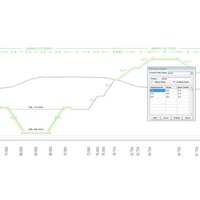
This software offers scalable plotting options, including print-to-scale and integration of custom templates, which aid professionals in generating precise engineering drawings. Its compatibility with AutoCAD and other CAD software ensures seamless extension into existing environments, making it ideal for commercial and professional projects.


Secure, Multi-User Access and User-Friendly Interface

Featuring license key protection and user authentication, AutoPlotter Professional Software secures your data and projects. The graphical user interface (GUI) is designed for both beginners and advanced users, facilitating intuitive navigation. Multi-user support means teams can collaborate efficiently on large-scale engineering projects.

FAQ's of AutoPlotter Professional Software:


Q: How can I import survey data into AutoPlotter Professional Software?

A: You can import survey data using supported formats such as CSV, TXT, DAT, and DXF. The batch processing feature allows you to handle multiple files at once, facilitating efficient management of large datasets for mapping or road design.

Q: What output formats does AutoPlotter Professional Software provide for project export?

A: The software enables you to export your processed data and drawings to DWG, DXF, PDF, and XLS formats. This ensures compatibility with various documentation and CAD applications for sharing or further editing.

Q: When are software updates released, and how are they delivered?

A: AutoPlotter Professional Software receives periodic updates. These updates are delivered online, ensuring you stay up-to-date with new functionalities, security enhancements, and improved compatibility.

Q: Where can I get support if I encounter technical issues?

A: Support is available through online help resources, detailed user manuals, and responsive email support. These channels are designed to assist distributors, exporters, suppliers, traders, and end-users across India.

Q: What process is involved in customizing templates for plotting in AutoPlotter?

A: Users can create and modify custom templates within the software's interface, allowing for tailored plot layouts according to specific engineering or mapping requirements. Customizable plotting options enhance presentation and accuracy.

Q: How does AutoPlotter Professional Software secure my data and licensing?

A: The software employs license key protection and user authentication measures to safeguard your projects and prevent unauthorized usage. This ensures compliance especially in commercial and professional project environments.

Q: What are the minimum system requirements for installing and using AutoPlotter Professional Software?

A: You need a Windows 7/8/10/11 system with at least an Intel Core i3 processor, 4 GB RAM, and 2 GB free disk space to run the software efficiently. This ensures optimal performance for handling complex engineering data and tasks.

Get a Price/QuoteRequest To Call Back
Road Estimator Software
  • Road Estimator Software
  • Road Estimator Software
  • Road Estimator Software

Road Estimator Software

Minimum Order Quantity : 1 Units

Delivery Time : 10 Days

Usage Civil Engineering, Road Estimation

Type Estimation Software

Support System Online and Offline Support

Security Features Password Protected Access

Language Support English

Interface Type Graphical User Interface (GUI)

Compatible System Windows Operating System

Capacity (Person) Multiuser Enabled

Application Road Planning and Construction Estimation

Supply Ability 100 Per Month

About this product


Experience virtuoso road planning and construction estimation with the acclaimed Road Estimator Software by Infycons. Available in Single and Multi-User licenses, its top-notch features include annual updates, superior security through password-protected access, and a customizable GUI for optimal user comfort. Export data in Excel, PDF, or CSV formats. Installation is effortless via CD or download, and onsite or remote training is provided. Compatible with Windows and multiuser environments, don't miss this limited-time offer-add to cart and explore the future of civil engineering estimation.

Versatile Application & Competitive Advantages

Road Estimator Software is tailored for civil engineering, road construction, and project estimation sectors. Its comprehensive feature suite includes password protection, third-party integration, and multi-format data export. The solution's primary competitive edge lies in superior customization, intuitive GUI interface, and hassle-free installation modes. Clients benefit from regular annual updates and robust support, making it a reliable choice for infrastructure planning and estimation needs.


Domestic Market Reach & Efficient Dispatch

Serving major regions across India, Road Estimator Software is distributed, exported, and supplied through trusted traders. FOB Port ensures secure goods transport, while swift order completion is prioritized. Flexible payment terms enhance purchase convenience, and the software is dispatched promptly after confirmation. With streamlined processes, clients experience timely delivery and post-sales support, boosting operational efficiency for every civil engineering project.


Specification

Software Name

Road Estimator

Operating System

For Windows

Brand

Infycons

Deployment

Offline

Device Compatibility

Desktop Only

Download Option

Free trial & download available

Edition

Single User

Key Features

3rd Party Integration

Languages Supported

English

Min System Requirements

8 GB RAM

Supported Platforms

Windows

Training Support

Online Training


FAQ's of Road Estimator Software:


Q: How do I install Road Estimator Software, and what system requirements are needed?

A: Installation is available by CD or download for Windows desktops. You'll need at least 2GB RAM (recommended 8GB), a 2GHz processor, and 500MB free disk space for optimal performance.

Q: What are the main application areas for Road Estimator Software?

A: This software is used for road planning, construction estimation, and civil engineering projects. Its capabilities extend to data analysis, report generation, and detailed cost estimation.

Q: When will I receive annual software updates?

A: Annual updates are included with your license and dispatched automatically. Updates ensure access to the latest features, enhancements, and security improvements each year.

Q: Where can I request a demo or training for the Road Estimator Software?

A: A free demo is available upon request, and training can be arranged onsite or remotely. Contact your distributor or supplier to schedule a demonstration or training session.

Q: What is the process for data export and integration with third-party platforms?

A: You can export data in Excel, PDF, or CSV formats. The software supports integration with third-party platforms for seamless data transfer and enhanced project collaboration.

Q: How does Road Estimator Software enhance security and user accessibility?

A: The software offers password-protected access and a graphical user interface, ensuring secure data management and straightforward usage for single or multiple users.

Get a Price/QuoteRequest To Call Back
AutoPlotter Advanced Software
  • AutoPlotter Advanced Software
  • AutoPlotter Advanced Software
  • AutoPlotter Advanced Software

AutoPlotter Advanced Software

Minimum Order Quantity : 1 Units

Delivery Time : 10 Days

Usage Civil Engineering Design, Survey Data Management, Earthwork Computation

Type Survey and CAD Software Solution

Support System Online Remote Assistance, Telephonic Technical Support, Email Support

Security Features USB Dongle based License Protection, User Authentication, Data Encryption Support

Language Support English, Custom Language Packs Available

Interface Type Graphical User Interface (GUI)

Compatible System Windows 10, Windows 8, Windows 7 (32/64 bit)

Capacity (Person) Single User License, Multi-user options Available

Application Land Survey Data Processing, Topographic Mapping, Road Design, Volume Calculations, GIS Data Generation

Supply Ability 100 Per Month

About this product


Experience a resplendent leap in land survey data processing with the new release of AutoPlotter Advanced Software. This commanding solution is engineered for dominant performance in civil engineering design, offering instant checkout and attractive discount options for perpetual or subscription licenses. Featuring customizable modules for road design, survey utilities, and GIS, the robust offline installer supports DWG, DXF, CSV, LandXML, and TXT formats. With a secure USB dongle, data encryption, and seamless integration with GPS and Total Stations, AutoPlotter Advanced remains the preferred choice for professionals seeking reliability, sophistication, and rapid deployment.

Diverse Applications and Core Advantages of AutoPlotter Advanced

AutoPlotter Advanced Software asserts its versatility in applications like survey data management, topographic mapping, plant site layout, GIS data generation, and volumetric earthwork computations. Its modular architecture allows for tailored solutions, directing focus on plant applications such as utility planning, site grading, and road alignment. The principal advantage lies in its automated report generation, easy integration with survey equipment, and compatibility with multiple data formats, ensuring project efficiency and uncompromising accuracy in every civil engineering and industrial plant design workflow.


Delivery, Supply Capability, and Payment Procedures

AutoPlotter Advanced Software ensures expedient shipment and secure transportation, typically dispatched within a standard lead time post-purchase confirmation. Reliable distribution channels across India accommodate diverse client locations with flexible shipment options. Supply ability remains robust, supporting bulk and single-user license demands with ease. Payment terms are structured for convenience, supporting advanced and varied payment methods, assuring a hassle-free acquisition process. Clients benefit from timely software dispatching and dedicated support throughout installation and activation.


Specification

Software Name

AutoPlotter Advanced

Operating System

For Windows

Brand

Infycons

Deployment

Offline

Device Compatibility

Desktop Only

Download Option

Free trial & download available

Edition

Single User

Key Features

3rd Party Integration,Image Processing,Digital Surface & 3D Models,Visualization & GPS Support

Languages Supported

English

Min System Requirements

8 GB RAM

Supported Platforms

Windows

Training Support

Online Training


FAQ's of AutoPlotter Advanced Software:


Q: How is AutoPlotter Advanced Software installed and activated?

A: AutoPlotter Advanced is deployed via an offline installer for Windows systems. Activation occurs through a USB dongle-based license protection system that offers robust user authentication and security.

Q: What applications can benefit from using AutoPlotter Advanced Software?

A: The software is ideal for land survey data processing, topographic mapping, road design, volume calculations, GIS data generation, and plant site planning, making it valuable for civil and plant engineering professionals.

Q: When can customers expect their software shipment after purchase?

A: Shipments are typically dispatched promptly after order confirmation, ensuring customers receive the software within the specified lead time for seamless project continuity.

Q: Where can I access technical support or user training for AutoPlotter Advanced?

A: Comprehensive user documentation is included, and technical support is available via online assistance, telephonic help, and email. Online training sessions further facilitate user onboarding and proficiency.

Q: What is the process for updating AutoPlotter Advanced?

A: AutoPlotter Advanced licenses include one year of free updates. Users receive notifications and guidance for update procedures, helping maintain peak software performance.

Q: How does AutoPlotter Advanced ensure data integration and export flexibility?

A: The software supports integration with GPS and total stations and offers export options to PDF, CAD, Excel, and KML, supporting streamlined workflows and effortless report generation.

Get a Price/QuoteRequest To Call Back
AutoPlotter GIS Plus  Software
  • AutoPlotter GIS Plus  Software
  • AutoPlotter GIS Plus  Software
  • AutoPlotter GIS Plus  Software

AutoPlotter GIS Plus Software

Minimum Order Quantity : 1 Units

Delivery Time : 10 Days

Usage Professional GIS and Survey Data Processing

Type GIS Mapping Software

Support System Online and Offline Support

Security Features Licensed Software Protection

Language Support English

Interface Type Graphical User Interface (GUI)

Compatible System Windows OS

Capacity (Person) Single and Multi-user Options

Application Survey and GIS Data Management

Supply Ability 100 Per Month

About this product


Find exceptional efficiency with AutoPlotter GIS Plus Software, a top-drawer solution for heroic GIS and survey data management. Buy now at a reduced price and receive regular software updates, ensuring you operate with the latest features. This noteworthy commercial license provides high precision, robust security, and advanced 3D visualization tools. Supporting AutoCAD, DXF, ASCII, and Shape files, it allows seamless integration for professionals working on Windows platforms. Obtain installation via CD/DVD or download, backed by comprehensive support and an included user manual.

AutoPlotter GIS Plus: Material Features & Application Places

AutoPlotter GIS Plus Software is renowned for its noteworthy high precision, robust licensed software protection, and a graphical user interface designed for ease. Widely used in survey offices, engineering consultancies, urban planning, and mapping agencies, it excels in GIS data management and 3D mapping. Favoured for its capacity to handle varied data formats, this top-drawer tool is perfect for professionals who demand reliability and accuracy in their mapping and surveying operations.


AutoPlotter GIS Plus: Domestic & Export Markets, Sample Options

AutoPlotter GIS Plus Software boasts a strong presence in India's main domestic market and is also exported to international customers. Clients can benefit from sample availability, allowing hands-on evaluation before commitment. With the lowest price and attractive outlay options, its valuation in survey and GIS domains is highly esteemed. Whether you are a distributor, exporter, or trader, this heroic software meets professional needs with proven dependability and cost-effectiveness.


Specification

Software Name

AutoPlotter GIS+

Operating System

For Windows

Brand

Infycons

Deployment

Offline

Device Compatibility

Desktop Only

Download Option

Free trial & download available

Edition

Single User

Key Features

Image Processing,Visualization & GPS Support,3rd Party Integration,Digital Surface & 3D Models

Languages Supported

English

Supported Platforms

Windows

Training Support

Online Training


FAQ's of AutoPlotter GIS Plus Software:


Q: How can I buy or find AutoPlotter GIS Plus at a reduced price?

A: You can buy AutoPlotter GIS Plus Software from authorized distributors, suppliers, and traders in India or request a quote for the latest reduced price. Some sellers also offer free trial downloads to evaluate the software before purchasing.

Q: What data input formats does AutoPlotter GIS Plus support?

A: AutoPlotter GIS Plus supports multiple data formats, including AutoCAD, DXF, ASCII, Text, and Shape Files, making it flexible for a variety of GIS and survey data processing tasks.

Q: Where can AutoPlotter GIS Plus be used?

A: This software is suitable for deployment in survey firms, engineering companies, government agencies, consultancies, and academic institutes involved in professional GIS and survey data management.

Q: What is the process for software installation and license activation?

A: AutoPlotter GIS Plus can be installed via CD/DVD or downloaded online. After installation, you will need to activate the commercial license using the provided instructions and user manual. Support is available both online and offline to assist in the process.

Q: What are the main benefits of using AutoPlotter GIS Plus?

A: Users benefit from high-precision GIS mapping, advanced 3D visualization, export options to various CAD/GIS formats, and robust licensed security. The interface is intuitive, and regular updates ensure ongoing reliability and heroically efficient performance.

Q: When can customers expect regular software updates?

A: Customers receive regular software updates as part of their license agreement, helping maintain the top-drawer functionality and security for ongoing projects.

Get a Price/QuoteRequest To Call Back
AutoPlotter with LIS Software
  • AutoPlotter with LIS Software
  • AutoPlotter with LIS Software
  • AutoPlotter with LIS Software

AutoPlotter with LIS Software

Minimum Order Quantity : 1 Units

Delivery Time : 7 Days

Usage Professional, Commercial, Infrastructure Projects

Type AutoPlotter with Land Information System (LIS) Software

Support System Technical Support, Online Helpdesk

Security Features User Authentication, Data Encryption, Access Control

Language Support English, Custom Language Packs Available

Interface Type USB, Serial, Ethernet

Compatible System Windows 7/8/10, 64-bit Operating Systems

Capacity (Person) Single User/Licensed Multiple Users

Application Surveying, Mapping, Land Record Management, and GIS Data Processing

Supply Ability 100 Per Month

Payment Terms Cash in Advance (CID)

Main Domestic Market All India

About this product

Specification

Deployment

Offline

Device Compatibility

Desktop Only

Operating System

For Windows

Download Option

Free demo Available

Key Features

Digital Surface & 3D Models, Image Processing, Visualization & GPS Support, 3rd Party Integration

Training Support

Online Training

Edition

Single User

Supported Platforms

Windows


Efficient Data Handling

AutoPlotter with LIS Software is engineered for high-speed processing of large geographical datasets. The software's compatibility with formats such as ASCII, CSV, DXF, and Shapefile allows users to input diverse geospatial data efficiently. With automatic backup and recovery features, all data remains secure even during unexpected interruptions, ensuring continuity in project execution.


Seamless Mapping Output

The platform allows users to export their maps and survey results in multiple formats including PDF, DWG, DXF, and other GIS formats. Its direct printing and plotting capabilities make it an ideal choice for infrastructure projects requiring precise documentation. Interactive map visualization and flexible layer controls help professionals manage and edit spatial data with ease.


Integration & Connectivity

AutoPlotter with LIS Software supports seamless connectivity with surveying instruments such as Total Station, GPS, and GNSS devices. The interface is compatible with USB, serial, and Ethernet connections, facilitating flexible integration in field and office environments. Software updates and online helpdesk support ensure users always operate the latest, most secure version.

FAQ's of AutoPlotter with LIS Software:


Q: How does AutoPlotter with LIS Software handle large datasets efficiently?

A: The software is optimized for processing substantial volumes of spatial data, allowing users to input and manipulate large datasets with minimal lag. Its advanced algorithms and hardware requirements, such as an Intel i3 processor or above and 4GB RAM, ensure swift and reliable operations even for complex mapping tasks.

Q: What data input formats are compatible with AutoPlotter with LIS Software?

A: AutoPlotter supports a wide range of input formats, including ASCII, CSV, DXF, Shapefile, and LandXML. This allows users to import data from various sources, making it highly versatile for professional survey and GIS applications.

Q: When are software updates provided for AutoPlotter with LIS Software?

A: Regular software updates are available, keeping the system equipped with the latest features and security enhancements. Users also receive prompt support and updates via the online helpdesk, ensuring constant reliability and compliance with industry standards.

Q: Where can users export mapping outputs from the software?

A: Users can export mapping and survey data to popular formats such as PDF, DWG, DXF, and other GIS file types. These export options facilitate easy sharing, printing, and plotting for commercial and infrastructure projects.

Q: What is the process for integrating surveying devices with AutoPlotter?

A: Integration is straightforward; the software supports Total Station, GPS, and GNSS devices through USB, serial, or Ethernet interfaces. This enables accurate data collection and seamless transfer between the field and the software for further processing.

Q: How does the software enhance data security and user authentication?

A: AutoPlotter employs robust security measures including user authentication, data encryption, and access control. These features protect sensitive survey information and restrict system access to authorized personnel only.

Q: What are the benefits of using AutoPlotter with LIS Software in professional surveying projects?

A: Benefits include real-time data processing, interactive map visualization, efficient layer management, and compatibility with leading survey devices. Automatic backup and recovery, multi-language support, and comprehensive documentation further enhance its application in commercial, government, and infrastructure projects.

Get a Price/QuoteRequest To Call Back
AutoRoads Software
  • AutoRoads Software
  • AutoRoads Software
  • AutoRoads Software

AutoRoads Software

Minimum Order Quantity : 1 Units

Delivery Time : 7 Days

Usage For Civil Engineering & Government Departments

Type Road Management Software

Support System Online & Offline Technical Support

Security Features Password Protected Access

Language Support Multi-Language

Interface Type User-Friendly Graphical Interface

Compatible System Windows OS

Capacity (Person) Multi-User Capability

Application Road Maintenance Management

Supply Ability 100 Per Month

Payment Terms Cash in Advance (CID)

Main Domestic Market All India

About this product

Specification

Deployment

Offline

Device Compatibility

Desktop Only

Operating System

For Windows

Download Option

Free demo Available

Brand

Infycons

Key Features

Visualization & GPS Support, Digital Surface & 3D Models, Image Processing, 3rd Party Integration

Training Support

Online Training

Edition

Single User

Supported Platforms

Windows

Languages Supported

English

Software Name

AutoRoads


Flexible Backup Features

AutoRoads Software empowers users with both automatic and manual backup options, safeguarding vital road management data. Backups can be scheduled according to organizational policies or performed on demand. This flexibility minimizes data loss risk and ensures recovery capability after unforeseen events. Automated processes simplify continuity, while manual backups allow for control over specific points in time.


Dynamic Report Generation

Featuring advanced customizable report generation, users can export findings and analytics in Excel or PDF formats. The flexibility to tailor reports meets the diverse documentation needs of civil engineering and government projects. These ready-to-use, portable formats facilitate easy sharing of critical information among team members, stakeholders, and administrative authorities.


Secure Multi-User Environment

Designed for collaborative road management, AutoRoads supports multiple users with secure, password-protected access. A user-friendly graphical interface enhances productivity while maintaining confidentiality of sensitive data. The multi-user capacity is perfectly suited for organizations requiring coordinated management across several departments or field sites.

FAQ's of AutoRoads Software:


Q: How does AutoRoads Software ensure data protection for road maintenance projects?

A: AutoRoads Software secures your road maintenance data using both automatic and manual backup options. Automated backups run at scheduled intervals while manual backups allow users to archive data at specific points. Additionally, password-protected access and regular updates help keep your information safe from threats and unauthorized access.

Q: What are the installation requirements for AutoRoads Software?

A: To install AutoRoads Software, you need a Windows OS system with at least an Intel i3 processor, 4 GB RAM or higher, and 500 MB of free disk space. The software provides an offline installer, making it suitable for both online and offline operational environments.

Q: When should I use the manual backup feature instead of automatic backup?

A: Manual backup is ideal when you want to secure data after completing major updates, generating critical reports, or before software upgrades. Automatic backup is recommended for regular, unattended data protection, maintaining up-to-date records.

Q: Where is AutoRoads Software commonly used, and who benefits from its features?

A: AutoRoads Software is tailored for civil engineering professionals and government departments involved in road maintenance management. It's widely used across infrastructure projects, offering benefits like multi-user access, secure data handling, and customizable reports for administrative and operational efficiency.

Q: What is the process for generating and exporting reports in AutoRoads Software?

A: Users can customize their reports within the software, selecting necessary data fields and layouts. Once finalized, reports can be exported seamlessly to Excel or PDF formats, ensuring they are easy to share and archive as per organizational needs.

Q: How does the software support users in remote or low-connectivity areas?

A: AutoRoads Software supports both online and offline modes. You can perform essential management and data backup tasks without a constant internet connection, making it ideal for remote field operations associated with road maintenance.

Q: What are the licensing options available for AutoRoads Software?

A: AutoRoads Software is offered under both perpetual and subscription-based licenses. This allows users or organizations to choose the most cost-effective model that suits their long-term road management needs.

Get a Price/QuoteRequest To Call Back

Contact Us

Message